


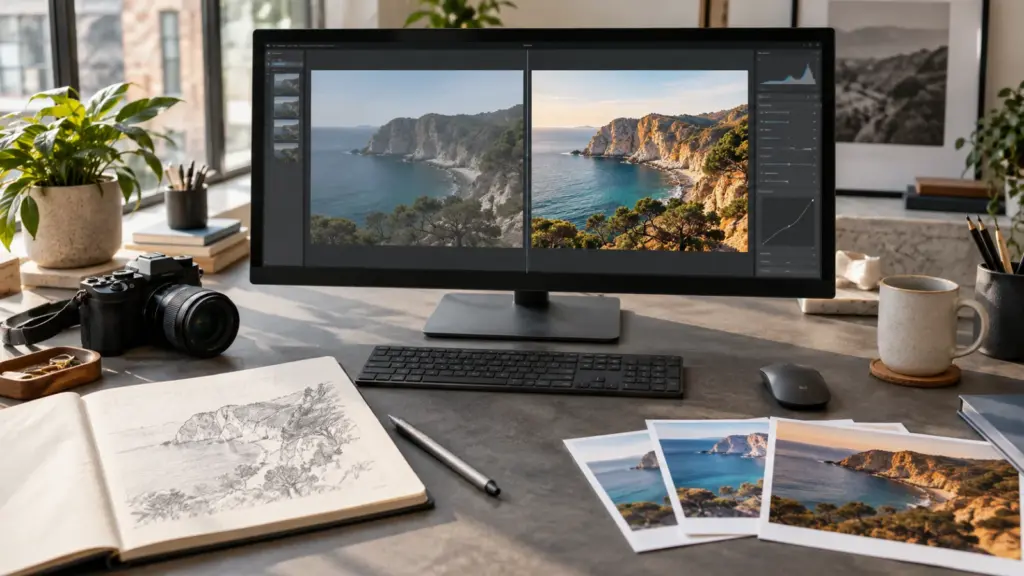
ChatGPT Images 2.5 is now rolling out with faster generation, more precise edits and new controls for turning sketches into finished images. OpenAI says the model can generate an image with up to 50% lower latency than Images 2.0 while doing a better job of preserving subjects and earlier changes.
The update is available across ChatGPT, ChatGPT Work and Codex on desktop, mobile and the web. Developers also get two API models: the faster GPT-Image-2.5 Flare and the more precision-focused GPT-Image-2.5 Sunburst. Here is what actually changed, what remains unproven and which model fits each workflow.
ChatGPT Images 2.5 at a glance
- Faster generation: OpenAI reports up to 50% lower latency compared with Images 2.0.
- More controlled editing: the model is designed to change a requested element while preserving the rest of the image.
- New creation tools: Sketch, templates, image comments and shareable prompts are joining ChatGPT.
- Two API choices: Flare prioritizes speed; Sunburst prioritizes detailed, high-control editing.
- Important caveat: the performance figures come from OpenAI, and feature visibility may vary during the rollout.
What is new in ChatGPT Images 2.5?
OpenAI announced ChatGPT Images 2.5 on 8 September 2026. The company describes it as its new state-of-the-art image model and says people now create more than three billion images each week across ChatGPT Images and its GPT-Image API models.
The headline change is not simply higher visual quality. Images 2.5 is intended to make the complete creation process more predictable: start from a prompt or reference photo, make a focused edit, refine it over several turns and share the result or its prompt without rebuilding the image each time.
| Area | What OpenAI says changed | Why it matters |
|---|---|---|
| Generation speed | Up to 50% lower latency than Images 2.0 | Faster iteration when testing several ideas |
| Reference fidelity | Better preservation of recognizable subjects | Variations should drift less from the source |
| Targeted editing | Improved ability to change only the requested element | Backgrounds, composition and branding are less likely to change accidentally |
| Multi-turn edits | Earlier changes remain more consistent over successive instructions | Longer editing conversations become more practical |
| Complex layouts | Better handling of text, real-world information and transparent backgrounds | More useful for posters, product assets and interface concepts |
The “up to 50%” figure is a vendor claim, not a promise that every image will arrive twice as quickly. Generation time still depends on the requested resolution, quality, complexity, current service load and the model selected. It is safest to describe Images 2.5 as potentially much faster rather than guaranteeing a fixed time saving.
How has image editing improved?
Image editing has historically been one of the weakest parts of generative tools. A request to change a shirt color or remove one object can unexpectedly alter a face, lighting, text or the entire composition. OpenAI says Images 2.5 is better at understanding what should remain untouched.
This matters for real production work more than a slightly prettier first image. A shop may need to replace one product, a publisher may need a new crop, and a designer may need to correct a line of copy without losing a carefully approved layout. Reliable local changes reduce the need to generate the whole asset again.
OpenAI also says subject fidelity has improved for reference-led work. Early testing reported by Axios found that the new editor did a better job of preserving people and pets while applying detailed changes. That is useful independent evidence, but it is still an early test rather than a broad benchmark across different faces, languages and image styles.
Multi-turn consistency is another important target. The model is supposed to retain previous decisions across several edits instead of slowly degrading the subject or forgetting earlier instructions. Users should still keep the original file and save important versions. Generative editing can make an unwanted change, and later prompts may not recreate a lost detail exactly.
How do Sketch, templates and comments work?
Sketch lets a user draw a rough visual guide and combine it with a written description. OpenAI’s examples include laying out a room or outlining clothing. The current Help Center instructions describe Sketch as a mobile feature: type @ in the message box, select Sketch, draw the guide and then add the written instructions.
Templates provide starting structures for common formats such as flyers and product photographs. They are meant to reduce the blank-page problem rather than replace the prompt. Users still provide the subject, wording, style and other details that make the result their own. OpenAI’s Help Center says templates are not yet available in Work mode.
Image comments allow more focused feedback by placing an instruction directly on an area of an image. The documented comment interface is currently on mobile. This is potentially clearer than writing “change the object on the left” when a scene contains several similar objects. ChatGPT also lets users share a successful prompt so another person can adapt the idea using their own subject or details.
What is the difference between GPT-Image-2.5 Flare and Sunburst?
ChatGPT users generally do not need to choose between the two API model names. The distinction is mainly for developers building image generation or editing into an application.
| Model | Best suited to | Main trade-off | Model ID |
|---|---|---|---|
| GPT-Image-2.5 Flare | Everyday creation, prototypes, social assets and high-volume generation | Prioritizes speed and is OpenAI’s default recommendation for most applications | gpt-image-2.5-flare |
| GPT-Image-2.5 Sunburst | Detailed editing, campaign creative and polished product imagery | Prioritizes precision and may take longer to generate | gpt-image-2.5-sunburst |
Both models accept text and image inputs and generate image output. OpenAI documents quality settings from low through max as well as auto. Developers can call them through the Images API or use image generation through the Responses API.
Flare and Sunburst are specialized image-output models, not replacements for a general reasoning model or an autonomous agent. That distinction is similar to the one in our report on OpenAI’s automated research intern: a named workflow or specialist model should not be interpreted as a new all-purpose ChatGPT system.
The choice should be based on the workflow, not the more impressive name. Flare is the sensible starting point when speed and iteration volume matter. Sunburst is more appropriate when a controlled edit or final production asset is worth waiting longer for. A team should test both with its own prompts because OpenAI has not published one universal benchmark that predicts every design task.
How much does ChatGPT Images 2.5 cost and who gets access?
OpenAI says ChatGPT Images 2.5 is available to ChatGPT, ChatGPT Work and Codex users across all tiers on desktop, mobile and web. “All tiers” describes product availability; it does not mean every tier has identical usage allowances or access to every thinking mode.
API access is billed by tokens. OpenAI currently lists the same token rates for Flare and Sunburst: $5 per million text-input tokens, $8 per million image-input tokens and $30 per million image-output tokens, with lower cached-input rates. The final cost of one image varies because token consumption depends on its inputs and output settings. OpenAI also warns that its older GPT Image 2 calculator does not estimate Images 2.5 token consumption.
Developers who need reproducible behavior can use the dated model snapshots gpt-image-2.5-flare-2026-09-08 and gpt-image-2.5-sunburst-2026-09-08. The undated names are more convenient when an application should follow future updates automatically.
What should users test before relying on Images 2.5?
OpenAI’s demonstrations show the intended strengths, but a useful evaluation should use the material a person or business actually creates. A small test set can reveal more than repeatedly generating attractive one-off pictures.
- Reference preservation: make three changes to the same subject and compare facial, product or object details with the original.
- Targeted editing: request one small change and record everything else that changed unintentionally.
- Text accuracy: test short and long wording, punctuation, numbers and a non-English phrase.
- Layout consistency: generate several assets using the same visual rules and check spacing, colors and hierarchy.
- Transparent output: inspect edge quality around hair, glass, fabric and fine objects instead of trusting the preview.
- Speed and cost: compare enough runs at the same settings to avoid judging the model from one unusually fast or slow request.
For publishers, provenance matters too. OpenAI says it continues to attach C2PA metadata and use invisible watermarking. Those measures help identify generated material, but publishers should still label AI-created or materially altered images when the context could otherwise mislead readers.
Is ChatGPT Images 2.5 a major upgrade?
It appears to be a meaningful workflow upgrade, but the most important claims need wider testing. Faster output is useful, yet the bigger improvement would be dependable editing: changing exactly what the user requested while preserving the approved parts of an image through several rounds.
The launch also fits the direction established by GPT-6 Astra and its tool-focused workflows. OpenAI is moving from a prompt-and-answer experience toward interfaces where people can point, draw, comment and refine. Our GPT-6 Astra and Claude Fable comparison shows why model evaluation should include workflow, cost and control rather than treating one benchmark as a final verdict.
Images 2.5 should be especially attractive to creators, marketers and developers who already make several revisions of the same asset. Casual users gain simpler controls, while API teams gain a clear speed-versus-precision choice. The remaining question is whether its consistency holds across ordinary user photos, dense typography and long editing sessions—not only carefully selected demonstrations.
Frequently asked questions
Is ChatGPT Images 2.5 available to free users?
OpenAI says Images 2.5 is rolling out across all ChatGPT tiers. Usage allowances and advanced options can still differ by plan.
Is GPT-Image-2.5 Flare better than Sunburst?
Neither is best for every job. Flare is designed for fast, high-quality everyday generation, while Sunburst is designed for more precise, detailed creative and editing work with longer generation times.
Can Images 2.5 edit an existing photograph?
Yes. It accepts image inputs and is designed to preserve subjects and untouched parts of a composition more reliably during focused edits.
Does the 50% speed claim apply to every image?
No. OpenAI says latency can be reduced by up to 50% compared with Images 2.0. Actual time depends on the model, quality, resolution, request complexity and service conditions.
Sources and methodology
- OpenAI: Introducing ChatGPT Images 2.5
- OpenAI Help Center: Images in ChatGPT
- OpenAI API documentation: GPT-Image-2.5 Flare
- OpenAI API documentation: GPT-Image-2.5 Sunburst
- Axios: hands-on testing of ChatGPT’s new image editor
LinuxPanda reviewed OpenAI’s announcement, product documentation, model pages and independent early testing. Performance figures attributed to OpenAI have not been independently benchmarked by LinuxPanda.
Comments