


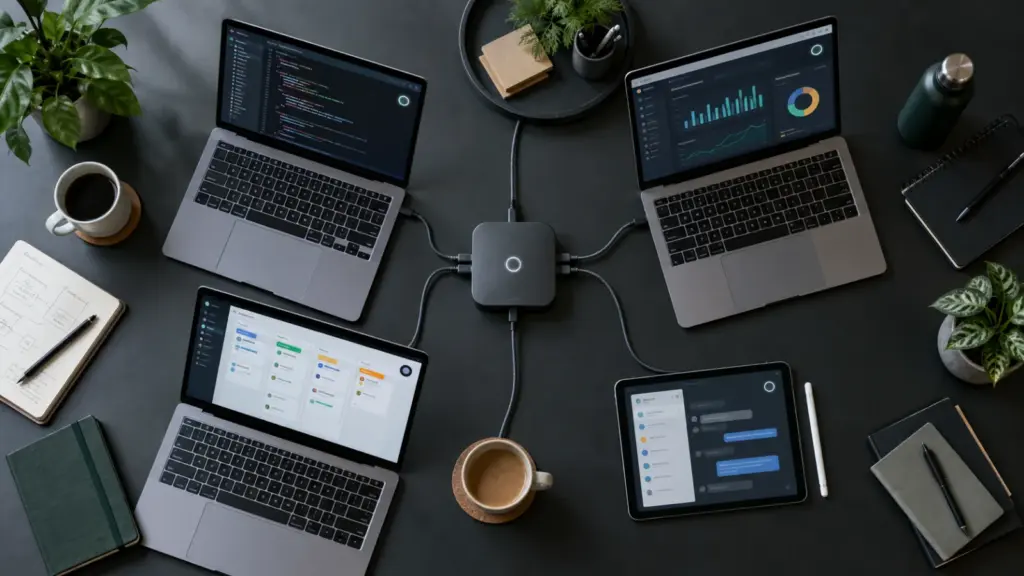
Grok Team Bots are now available in public beta for Teams and Enterprise customers. The new feature lets an organization build one shared Grok Bot around a role or workflow, give it approved files, apps, credentials and skills, and make the same expertise available to multiple employees. The useful idea is shared operational context; the important caution is that rollout, permissions and data boundaries still need human design.
Key takeaways
- Team Bots launched on 28 September 2026 for Teams and Enterprise plans.
- A Team Bot combines shared context, plugins, credentials and learned expertise around one team workflow.
- Each employee’s direct conversations and personal memories remain separate, according to SpaceXAI.
- Team Bots can participate in Slack through their own handle and can work across connected applications.
- Grok Bot requires cloud data storage, and Legacy Privacy Mode is not supported.
- Organizations should begin with read-only work and keep sending, publishing, deleting and production changes behind approval.
What are Grok Team Bots?
Team Bots are shared versions of Grok Bot, SpaceXAI’s computer-use agent. Instead of every employee creating a separate assistant and teaching it the same process, a team can configure one Bot for a recurring role such as account research, project coordination, brand review or data analysis.
The 28 September launch announcement says a Team Bot can receive the files, instructions, connected apps and expertise needed for that role. Employees then work with the same Bot individually or invite it into a shared Slack channel.
This is not simply a group chat with an AI model. Grok Bot runs work in a persistent hosted computer, can use a browser and terminal, and can connect to external services. Team Bots add a shared configuration and knowledge layer so an organization can reuse one carefully designed workflow.
| Question | Answer |
|---|---|
| Launch date | 28 September 2026 |
| Status | Public beta |
| Available plans | Teams and Enterprise |
| Main purpose | Share a reusable Bot, its role, approved context and expertise across a team |
| Collaboration | Individual conversations plus shared use in Slack |
| Core inputs | Context, plugins, credentials and memories |
| Separate standalone price | Not announced; access is tied to eligible plans |
How do shared context and memory work?
SpaceXAI groups the Team Bot setup into four parts:
- Context includes role instructions, internal documents, brand guidance and other reference material.
- Plugins connect applications such as GitHub, Notion or Salesforce. A connection can be set up by each person or, where supported, for the team.
- Credentials give controlled access to APIs that do not have a plugin.
- Memories preserve useful corrections and working knowledge so the Bot can improve at its assigned role.
The shared Bot does not mean every employee sees everyone else’s private conversation. The launch post says each user’s conversations remain private and that the Bot keeps separate context and memories per person while drawing on the skills shared across the team.
That distinction matters. The team can maintain one approved role and common source set, but an employee can still ask questions or prepare work without automatically exposing the conversation to coworkers. A Slack channel is different: messages and responses posted there are visible to channel members in the normal way.
Can one correction improve answers for everyone?
SpaceXAI says Team Bots can retain corrections that improve the shared role. Its data-analysis example describes a Bot learning from confirmed query corrections so later answers become more reliable. Teams should still keep changing facts in the authoritative source system rather than treating Bot memory as a database.
The company’s own Bot management documentation makes this limitation explicit: memory is not a substitute for an authoritative source. High-impact answers should reopen current data and preserve citations.
How are Team Bots different from individual Grok Bots?
An individual Bot is owned and shaped around one person’s recurring work. A Team Bot is designed around a role the organization wants several people to use consistently. The difference is governance and reuse, not a newly announced foundation model.
| Area | Individual Grok Bot | Team Bot |
|---|---|---|
| Primary owner | One user | A team or organization |
| Best use | Personal recurring work | A shared role or repeatable team workflow |
| Configuration | User-specific | Shared role, context, skills and approved connections |
| Conversations | Private to the user | Direct conversations remain private; Slack interactions are shared in-channel |
| Knowledge | Builds around one person’s work | Common expertise can improve across the team while personal context stays separate |
| Administration | Personal settings and approvals | Team rules, connector policy and additional Enterprise controls |
The hosted-computer boundary is also easy to misunderstand. According to SpaceXAI’s team documentation, each user receives a dedicated cloud computer, and every Bot that person runs shares that computer. A Team Bot is therefore not a completely isolated computer shared by the entire organization.
Files, browser sessions and command-line credentials on one employee’s hosted computer can be available to that employee’s other Bots. Creating separate Bots does not create a security wall between them.
Who can use Grok Team Bots?
Team Bots is in public beta for Teams and Enterprise plans. The underlying Grok Bot application supports macOS, Windows and Linux desktops plus iPhone, iPad and Android, according to the official product overview.
On self-serve Teams plans, Grok Bot is included for members and usage follows the seat’s allowance. Enterprise administrators enable access and can limit it to selected groups. SpaceXAI has not announced a separate Team Bots add-on price; organizations should check their current plan and usage controls rather than assuming unlimited execution.
Plan differences extend beyond access. Enterprise provides controls such as network policies, team-wide Auto-review enforcement, action recording, managed setup scripts and organization-level enablement. Self-serve Teams receives a smaller control set and, according to the current docs, cannot use every Enterprise restriction.
What are the security and privacy limits?
A Team Bot can reach internal files, browsers, terminals and connected applications, so its risk depends on the permissions it receives. The launch does not remove the need for least privilege, change review or human accountability.
The official approvals and privacy guide states that Grok Bot requires cloud data storage and does not support Legacy Privacy Mode. Training choices follow the applicable Cursor account and privacy settings. Teams handling regulated or sensitive data should review contracts, retention, residency and security documentation before connecting production systems.
| Risk | Safer starting control | Reason |
|---|---|---|
| Excessive app access | Connect only required tools and use scoped service accounts | Limits what a mistaken or malicious instruction can reach |
| Unreviewed external actions | Require approval for sending, publishing, purchasing and production changes | Keeps consequential decisions with a person |
| Stale memory | Reopen live sources and request citations | Memories can lag behind authoritative systems |
| Secrets in chat | Use supported secret handoffs and enter passwords or 2FA codes personally | Prevents credentials from becoming ordinary conversation data |
| Cross-Bot access on one computer | Remove temporary files and revoke unused sessions | All Bots belonging to a user share that user’s hosted computer |
| Overbroad automation | Start read-only and add one permission at a time | Makes failures observable before they can change data |
Does Auto Review make autonomous actions safe?
No automated reviewer is a complete security boundary. SpaceXAI describes Auto Review as a model-based layer that can require approval for risky actions. Its documentation still recommends narrow rules, least privilege and explicit boundaries. “Ask first before sending external email” is safer than a broad rule allowing every browser action.
Should teams share API keys inside a Bot description?
No. Bot descriptions and templates should not contain API keys, internal URLs or customer data. Enterprise Team Secrets and supported connection flows provide safer places for credentials. Passwords, passkeys, two-factor codes and payment confirmations should remain human-controlled.
How should a team roll out Team Bots?
The strongest first use case is a frequent, well-understood workflow with reliable source data and a human review point. A morning account briefing, read-only analytics summary or draft brand review is easier to evaluate than a Bot allowed to modify production.
- Choose one measurable outcome. Define what “done” means and how the team checks quality.
- Map the sources. Identify the exact documents, channels, dashboards and applications the Bot needs.
- Begin read-only. Ask for summaries, comparisons or drafts before granting write permissions.
- Use a scoped identity. Prefer a service account with the minimum required role over an administrator login.
- Set explicit stops. Require approval before messages, tickets, publishing, deletion, spending or production changes.
- Test failure cases. Give it stale data, conflicting instructions and missing permissions to see how it responds.
- Review memories and connections. Remove obsolete files, logins, plugins and routines as the workflow changes.
The company says its own engineering Team Bot helped coordinate many cloud coding agents while a five-person team shipped more than 100 pull requests per day. That is a vendor-reported example from SpaceXAI’s environment, not an independent productivity benchmark and not a result another team should assume.
LinuxPanda has already covered how Claude merged Cowork into its main chat experience and how GPT-6 Astra changed OpenAI’s model lineup. Team Bots represents a related but different trend: AI products are moving from one-person assistants toward persistent agents governed and reused by organizations. Our report on AI-assisted Linux kernel bug finding shows why the human review bottleneck still matters even when automation scales.
Our assessment
Team Bots solves a real problem: teams waste time recreating prompts, repeating context and teaching separate assistants the same workflow. A centrally maintained Bot can make common instructions, sources and safety rules easier to reuse.
The feature’s value will depend less on the word “team” and more on the quality of the operating design. A Bot connected to trustworthy sources with read-only access, clear approvals and measured outcomes can reduce repetitive work. A Bot given broad credentials, vague goals and permission to act everywhere can scale mistakes just as efficiently.
The public beta is worth testing for organizations already using eligible Grok or Cursor plans, but production adoption should follow a staged security review. Start with one workflow, verify the outputs against current sources and expand permissions only when the evidence supports it.
Frequently asked questions
When did Grok Team Bots launch?
SpaceXAI announced Team Bots on 28 September 2026. The feature launched in public beta.
Which plans include Team Bots?
Team Bots is available for Teams and Enterprise plans. SpaceXAI has not published a separate add-on price for the feature.
Can coworkers see my private Team Bot conversations?
SpaceXAI says direct conversations remain private and personal context and memories are kept separate. Messages sent in a shared Slack channel are visible to that channel’s members.
Can Team Bots use Slack?
Yes. Each Team Bot can have its own Slack handle so channel members can ask questions, add context and view its responses.
Does a separate Team Bot get a separate computer?
Not for each Bot. The current architecture gives each user a hosted cloud computer, and all Bots run by that user share it.
Should a Team Bot receive administrator credentials?
Not by default. Use scoped accounts, begin with read-only access and keep consequential actions behind approval.



Comments