


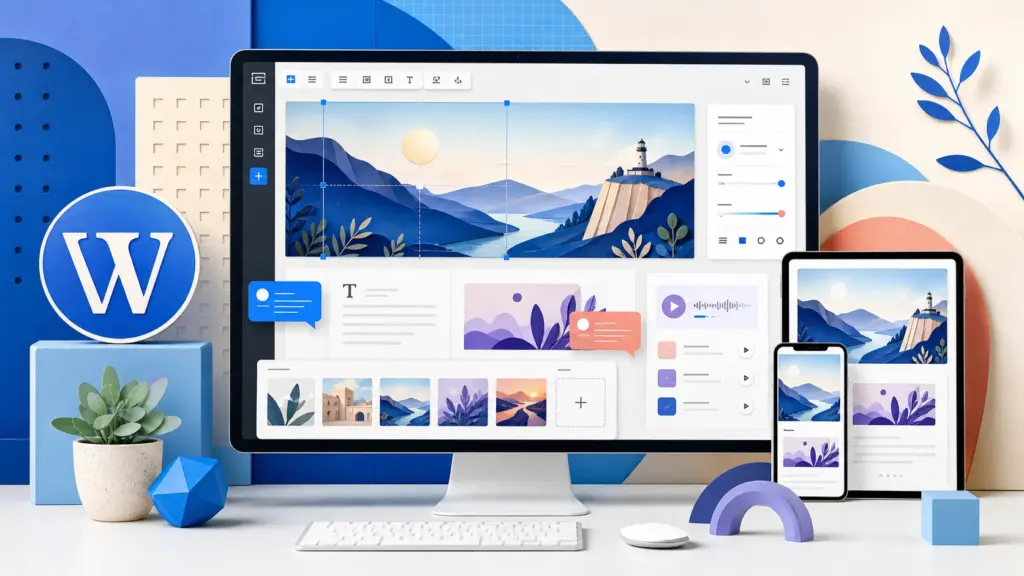
WordPress 7.1 “Mary Lou” is now available as the final stable release. It brings responsive design controls into the editor, moves more image processing into the browser, improves collaboration notes and adds new Tabs and Playlist blocks.
This is a major feature release, not a small maintenance update. Most site owners can upgrade after taking a backup and checking that their theme and important plugins support WordPress 7.1. Production stores, membership sites and heavily customized websites should test the update on staging first.
Key takeaways
- WordPress 7.1 was released on 19 August 2026 and is the current stable WordPress release.
- The most visible changes involve responsive styling, media editing, collaboration and new blocks.
- Back up the database and files, update extensions and test important workflows before upgrading a production site.
WordPress 7.1 at a glance
The official WordPress project describes version 7.1 as an update focused on how people navigate the admin area, control designs, work with media and collaborate on content. The release contains more than 1,500 enhancements and fixes from over 800 contributors, including more than 170 first-time contributors.
| Area | What changed | Who benefits |
|---|---|---|
| Responsive design | Block visibility and styling controls for different screen sizes | Site owners and theme builders |
| Media | Dedicated editor with crop, flip, rotation and metadata controls | Bloggers, publishers and editors |
| Collaboration | Inline Notes with rich text and mentions | Editorial teams |
| Blocks | New Tabs and Playlist blocks plus extensible icon collections | Creators and developers |
| Performance | Browser-side image processing and configurable speculative loading | Publishers and hosting teams |
The final release replaces the testing phase covered in our WordPress 7.1 RC3 report. RC builds were intended for testing; WordPress 7.1 is the version ordinary sites can now consider for production.
Responsive styles without custom CSS
One of the most useful additions is built-in responsive styling. Block themes can expose controls that change how a block looks or whether it appears at desktop, tablet and mobile sizes. Editors can preview those changes at different viewport widths while working.
This can reduce the amount of custom CSS needed for simple responsive layouts. Theme authors can also define their own mobile and tablet breakpoints in theme.json. However, the exact controls visible on a site will still depend on the active theme and the blocks being used. Updating WordPress alone does not automatically redesign an existing page.
A redesigned media editor
WordPress 7.1 replaces the previous inline image-cropping experience with a dedicated media editor. It keeps the familiar Crop entry point while bringing freeform and fixed-ratio cropping, horizontal and vertical flipping, precise rotation and metadata editing into one workflow.
The release also moves image compression, resizing and thumbnail generation into the browser using a WebAssembly build of libvips. According to the project, this can reduce server work and help avoid PHP memory limits or upload timeouts when handling large files. WordPress 7.1 also adds native handling for AVIF, HEIC and HDR gain maps.
That does not remove the need for image optimization. Publishers should continue uploading sensibly sized images and checking the generated formats on the front end. Large source files can still consume bandwidth before the browser finishes processing them.
Notes, Tabs and Playlist blocks
Inline Notes become more useful
Notes can now be attached to selected text instead of only an entire block. They support rich text, links, code formatting and @ mentions, making them more practical for an editor and writer working on the same draft. Longer discussions can be collapsed to keep the editing area manageable.
Tabs and Playlist arrive in core
The new Tabs block groups related content into panels without requiring a separate plugin for basic tabbed layouts. The Playlist block can combine multiple audio tracks and optionally display a waveform. As with any interactive block, site owners should test keyboard navigation, mobile layout and styling in their theme before placing it on a high-traffic page.
Developers can also register their own icon collections through the public SVG Icon API. This makes custom icons available within the editor while keeping icon management closer to WordPress core conventions.
Performance and developer changes
WordPress 7.1 includes several changes beyond the visible editor. Image processing in the browser is the headline performance improvement. Upload progress, automatic retries and an optional GIF-to-video conversion path are designed to make media uploads more resilient and efficient.
The Media Library now uses infinite scrolling by default, although users can return to pagination. Hosts can configure speculative-loading defaults with environment variables or constants rather than maintaining a custom plugin solely for that setting.
For developers, the Abilities API gains a filterable execution lifecycle, validation and shared discovery features. A new design-system foundation introduces semantic tokens and a React ThemeProvider for more consistent WordPress admin interfaces. The post editor is also fully iframed across themes, which helps prevent admin styles from interfering with content styles but may expose assumptions in older editor integrations.
How to upgrade to WordPress 7.1 safely
- Make a complete backup. Save both the database and website files. If you use Plesk, our guide explains how to schedule a remote Plesk backup.
- Check your server environment. Confirm that PHP, the database and available memory meet the requirements of your theme and plugins. See our PHP installation guide for Ubuntu if you manage the server yourself.
- Update themes and plugins. Read their changelogs and support notices for WordPress 7.1 compatibility.
- Use staging for important sites. Copy the production website, apply the update and test before changing the live installation.
- Test critical workflows. Check login, publishing, forms, checkout, membership access, search, comments, scheduled jobs and any custom editor blocks.
- Clear caches carefully. Purge the page cache, object cache and CDN only after confirming the updated site works.
Administrators who run WordPress on their own VPS should also confirm that their control panel and backup plan are current. Our updated Plesk on Ubuntu guide covers the server-side basics.
Should you update today?
A personal blog or straightforward brochure site can usually update after taking a verified backup and checking its extensions. Waiting briefly for theme and plugin compatibility notes is reasonable if the site relies on a page builder or several editor add-ons.
For an online store, membership platform, learning system or heavily customized publication, test WordPress 7.1 on staging first. The editor iframe, responsive controls and media pipeline are meaningful changes, and a third-party extension may behave differently even when WordPress core itself updates successfully.
Do not install RC3 now that the stable build exists. Download WordPress only through the official project or use the authenticated update screen inside WordPress administration.
Common questions
Is WordPress 7.1 a stable release?
Yes. WordPress.org lists version 7.1, released on 19 August 2026, as the latest stable release.
Will WordPress 7.1 change my existing design automatically?
No. It adds new editor and responsive-design capabilities, but the options available depend on your theme and blocks. Existing pages should keep their content, although they still need visual testing after the update.
Should I update directly from WordPress 7.0?
Most supported sites can, but take a backup first and test important plugins, the active theme and custom code. High-value production sites should validate the upgrade on staging.
Official sources
- WordPress 7.1 “Mary Lou” announcement
- WordPress 7.1 release documentation
- WordPress 7.1 Field Guide
- Official WordPress release archive
Security update: Sites running WordPress 7.1.0 or 7.1.1 should install 7.1.2 immediately because CVE-2026-87902 is under active exploitation.



Comments